How to choose a home projector: brightness, resolution and room size
Lumens, throw distance, 1080p or 4K, laser or lamp: a plain-English projector buying guide with four XGIMI picks from $299 to $1,699.
PulseWizer is reader-supported. We may earn a commission if you buy through links on this page. How we make money.
XGIMI MoGo 2 Pro
4 products compared in this guide.
A projector can turn a wall into a cinema, but only if it suits your room. Brightness, throw distance and resolution decide how good the picture looks, and manufacturers do not always make them easy to compare. This guide walks through what to check, then picks four projectors from XGIMI. Prices are from XGIMI's global store on 14 November 2026. We have not tested these projectors; we use XGIMI's specifications and independent reviews.
Our top picks
- Best portable all-rounder: XGIMI MoGo 2 Pro, $359.
- Best budget starter: XGIMI Vibe One (with 80-inch screen), $299.
- Best brighter portable: XGIMI Elfin Flip Laser, $799.
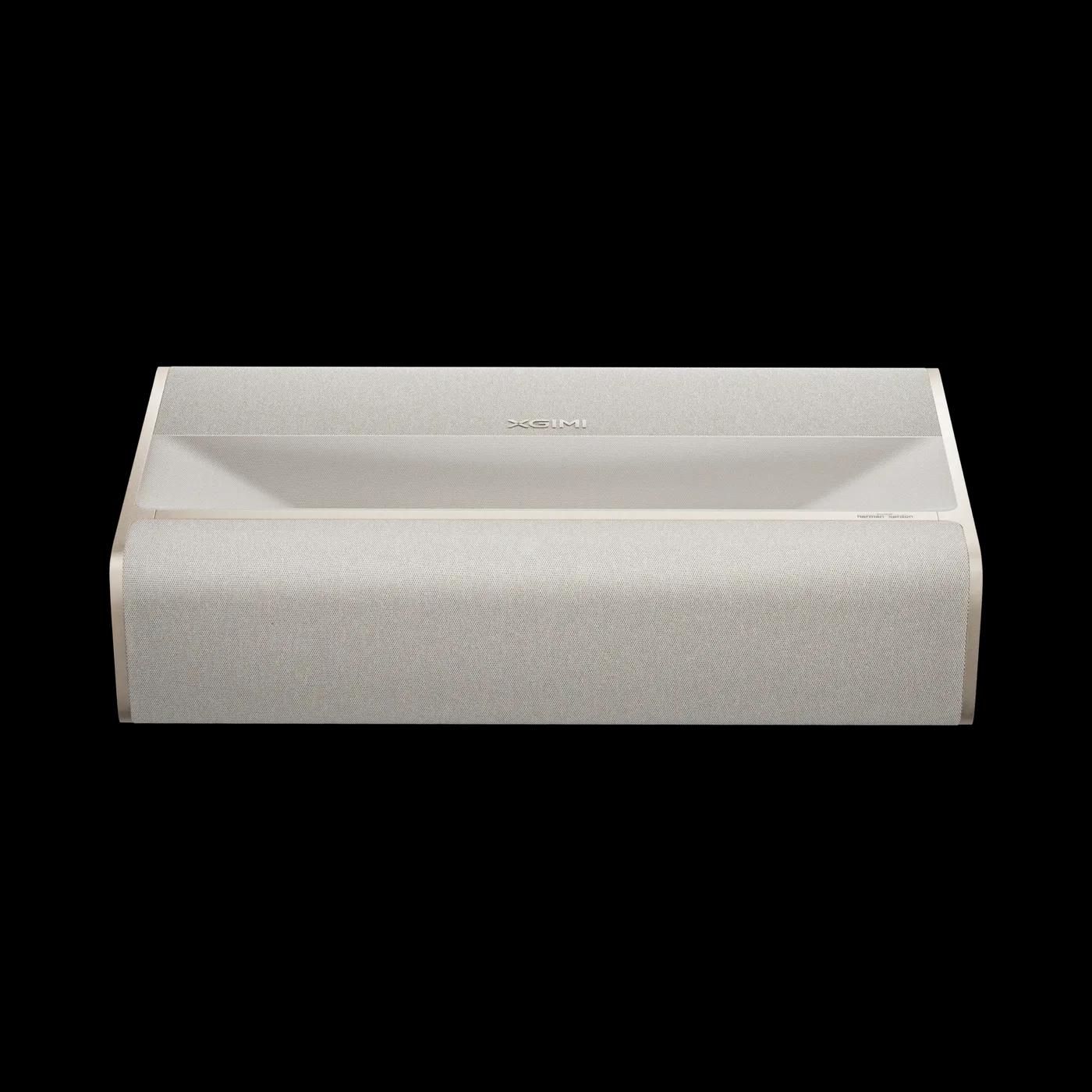
- Best 4K ultra-short-throw: XGIMI MIRA, $1,699.
How we chose
We looked for models that publish brightness and resolution, include a streaming platform, offer automatic setup, and are backed by independent measurements where available, plus a clear return policy.
Step 1: control the room light
Projectors are far more affected by ambient light than TVs. In a room that goes properly dark, a compact projector of a few hundred lumens works well. If you will watch with lights on or in a bright living room, you need a much brighter model, or a screen designed to reject ambient light.
Step 2: understand brightness numbers
Lumens are not all equal. XGIMI advertises ISO lumens, while reviewers often measure ANSI lumens, and the numbers differ. TechPowerUp measured the MoGo 2 Pro at roughly 385 ANSI (about 310 ISO) against an advertised figure that other reviewers put at about 500 ANSI, so do not read too much into any one number. Look for measured results from independent reviewers.
Step 3: pick the resolution you need
1080p is fine for movies on screens up to about 100 inches at normal distances. 4K adds sharpness, which matters on larger screens or close seating. The MIRA is 4K and the Elfin Flip 4K ($999) is 4K in a portable body; the Vibe One streams at 1080p.
Step 4: measure the throw distance
Throw distance is how far the projector sits from the screen. Standard projectors need a few metres. Ultra-short-throw models such as the MIRA sit almost against the wall, which suits small living rooms but needs a flat, level surface and a screen or wall in good condition. Check the manufacturer's throw ratio chart against your room before you buy.
Step 5: portable or fixed?
Portable projectors like the MoGo 2 Pro are small enough to put in a backpack and use an app-based streaming system, with a power cable, so battery life is not their selling point. Fixed UST projectors are meant to sit on a media cabinet.
Step 6: consider the streaming and sound
The MoGo 2 Pro lists Google TV with access to Netflix and over 5,000 apps, and dual 8W speakers with Dolby Audio. The Vibe One lists licensed Netflix built in. Built-in sound is fine for casual viewing, but a soundbar makes a big difference for movies.
Our picks in detail
XGIMI MoGo 2 Pro ($359)
Our pick for most people: compact, automatic setup, Google TV and a strong colour gamut for the size. See the full review.
XGIMI Vibe One with 80-inch screen ($299)
The cheapest way into XGIMI projection, with a screen included and Netflix built in.
XGIMI Elfin Flip Laser ($799)
Adds an RGB triple-laser light source for brighter, more detailed visuals in a portable body.
XGIMI MIRA ($1,699)
A 4K ultra-short-throw projector for a stylish living-room set-up without a long throw distance.
Returns and warranty
XGIMI offers free shipping on all orders, a 30-day return for undamaged products with a full refund and a limited warranty that varies by product. Register your projector after delivery.
Where to buy
See current prices and bundles at XGIMI. We may earn a commission if you buy through that link, at no extra cost to you. For more on the brand read our XGIMI overview.
FAQ
Can I use a projector in daylight?
Only with a bright model and ideally an ambient-light-rejecting screen, and even then it will not match a TV.
Do I need a screen?
A smooth white wall works for casual use; a screen improves contrast and uniformity.